
A hand-drawn ledger
that stays yours
Your books stay on your device and work fully offline. Log income and spending, organize accounts, track budgets and reports, and manage everyday expenses like a paper journal.
Everyday bookkeeping is free for good; Pro is an optional subscription. What free and Pro include
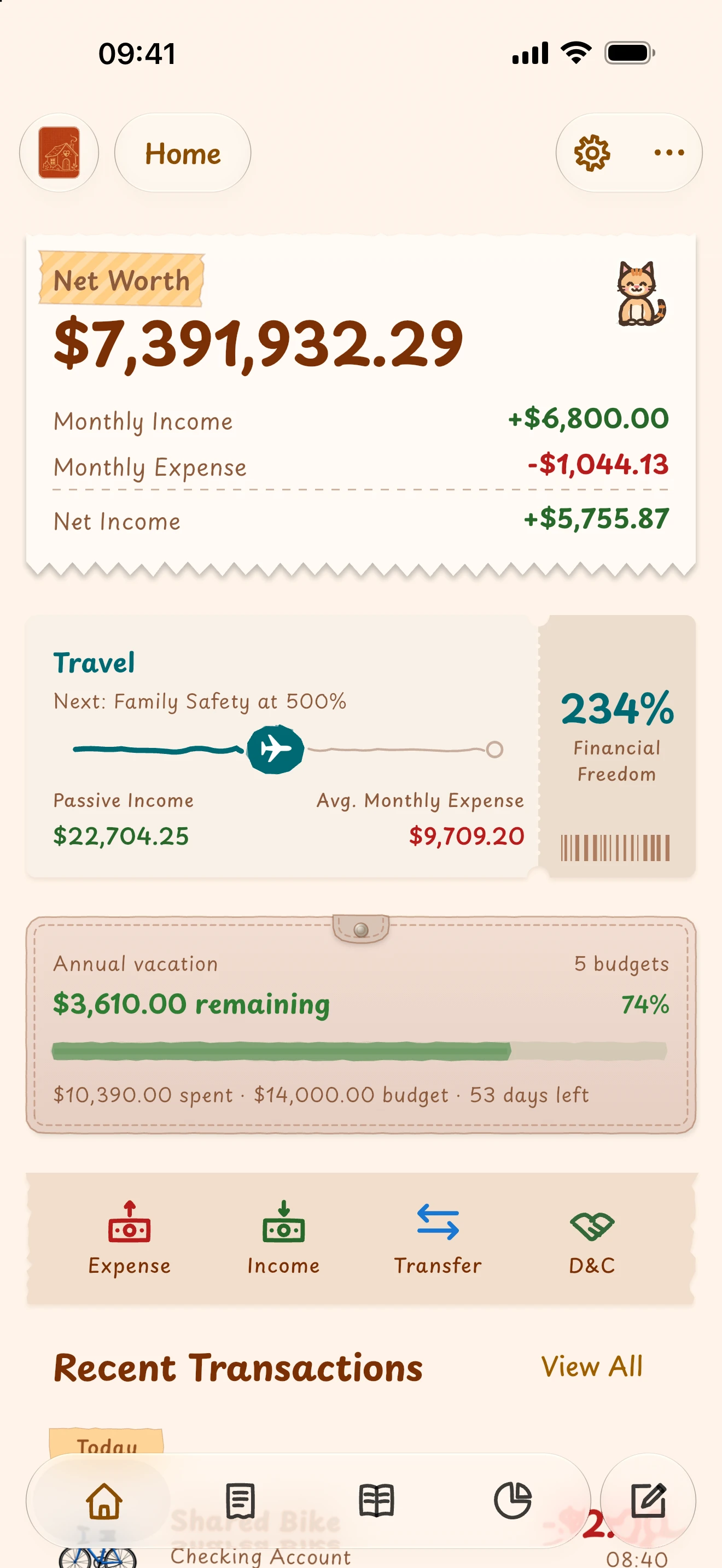

Pure focus, works offline
No sign-up. Works fully offline, zero ads forever, and the standard book you keep everyday records in is free for good with no entry limit. Paper-like screens and gentle hand-drawn styling make logging feel like keeping a journal.
Organized around your life
Preset accounts and categories are ready to use, and renaming them is free. Break accounts down further, or keep separate books for home and travel, by subscribing to Pro.
See your spending and your goals
Budgets show what's left. Reports show where money went. Financial-freedom progress shows how much of your spending passive income covers — all free.
Easy to keep today. Clear years from now.
From a single entry to organized accounts, budgets and reports, Simi connects everyday logging with long-term money management. Start with a preset, then add detail as your life needs it.
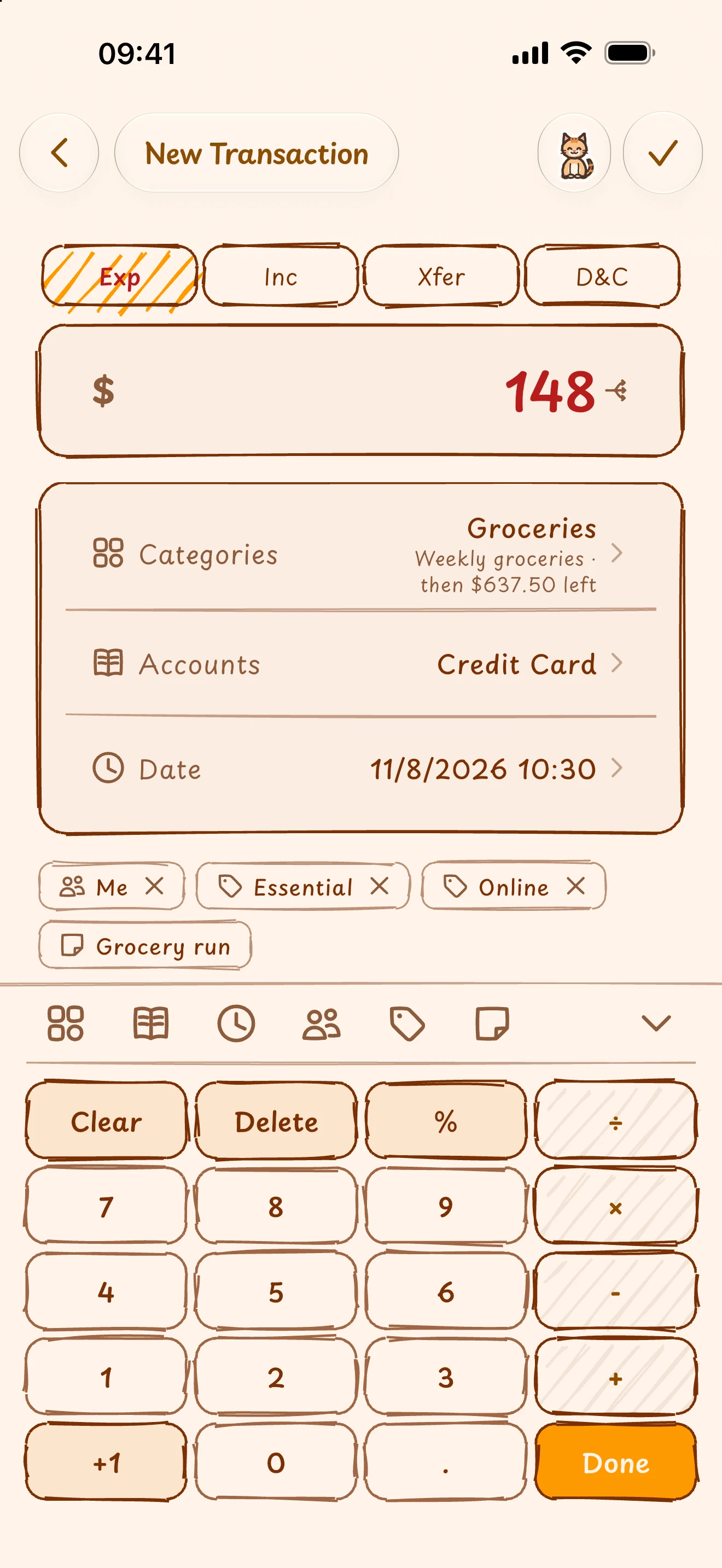
Who spent it and why, easy to find later.
A calculator keypad does the sums. Assign members, while tags are multi-select; whether identifying merchants, projects, or spending purposes, multi-select tags let you organize entries flexibly. Pick a category to see remaining budget in real time.
- Split one purchase across accounts and settle what's left in one tap, with separate flows for income, expenses, transfers and lending.
- Find past entries by keyword, date, account, member or tag.
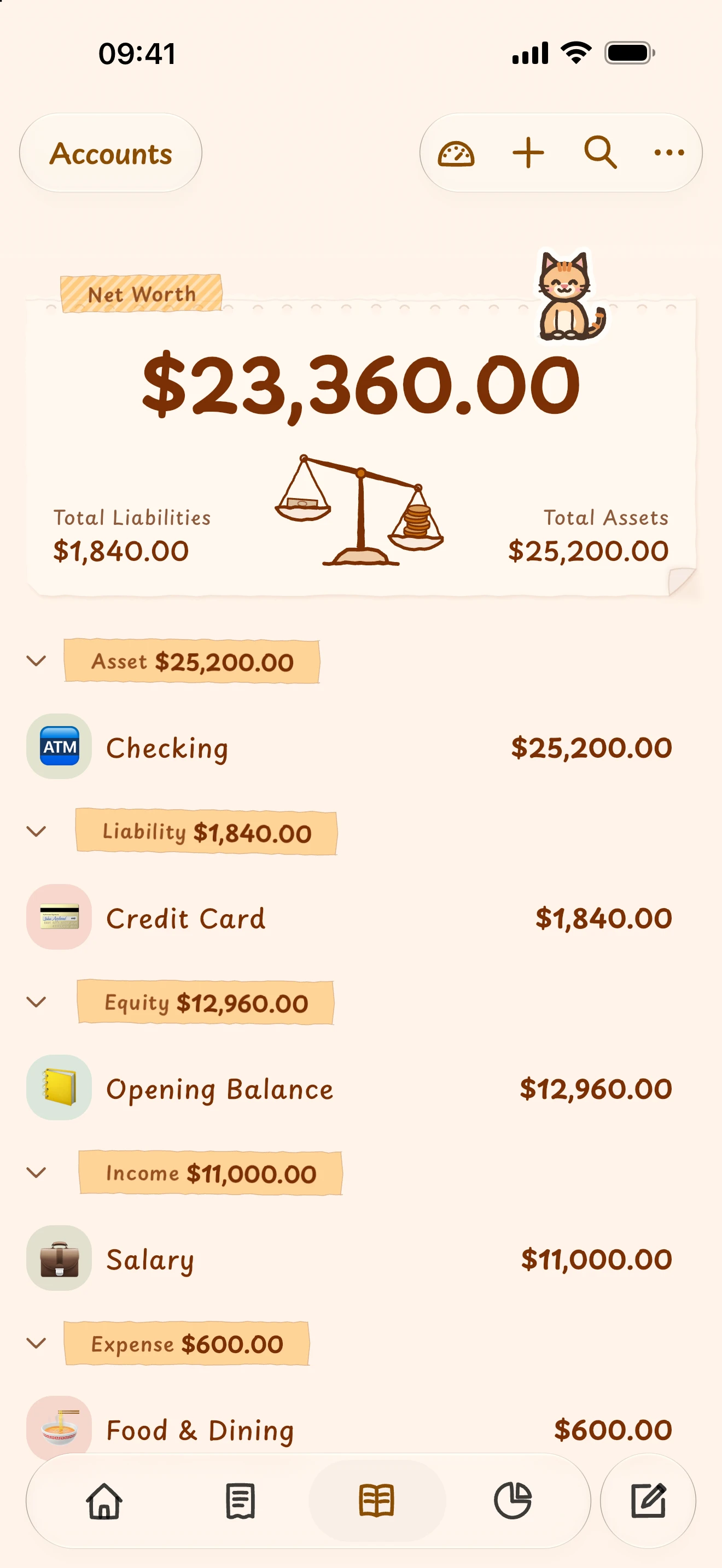
A few everyday cards, or a detailed ledger—built your way.
Group assets, liabilities, income, expenses and equity your way: Assets → Bank Deposits → Checking, or Expenses → Food & Dining → Groceries / Restaurant. Groups can hold more groups, as deep as you need.
ProNew accounts and groups are Pro's custom accounts, and you can try them free in the sample book. Renaming preset accounts and adding icons, card numbers and notes is free.
- Expand or collapse groups; balances roll up through the tree for an overview or a closer look.
- A paycheck raises your bank balance; a credit-card purchase records what you owe. Every entry balances its debits and credits — that's double-entry bookkeeping.
- Give a credit card its statement day, and Which card tells you the one that gives you longest to pay today.
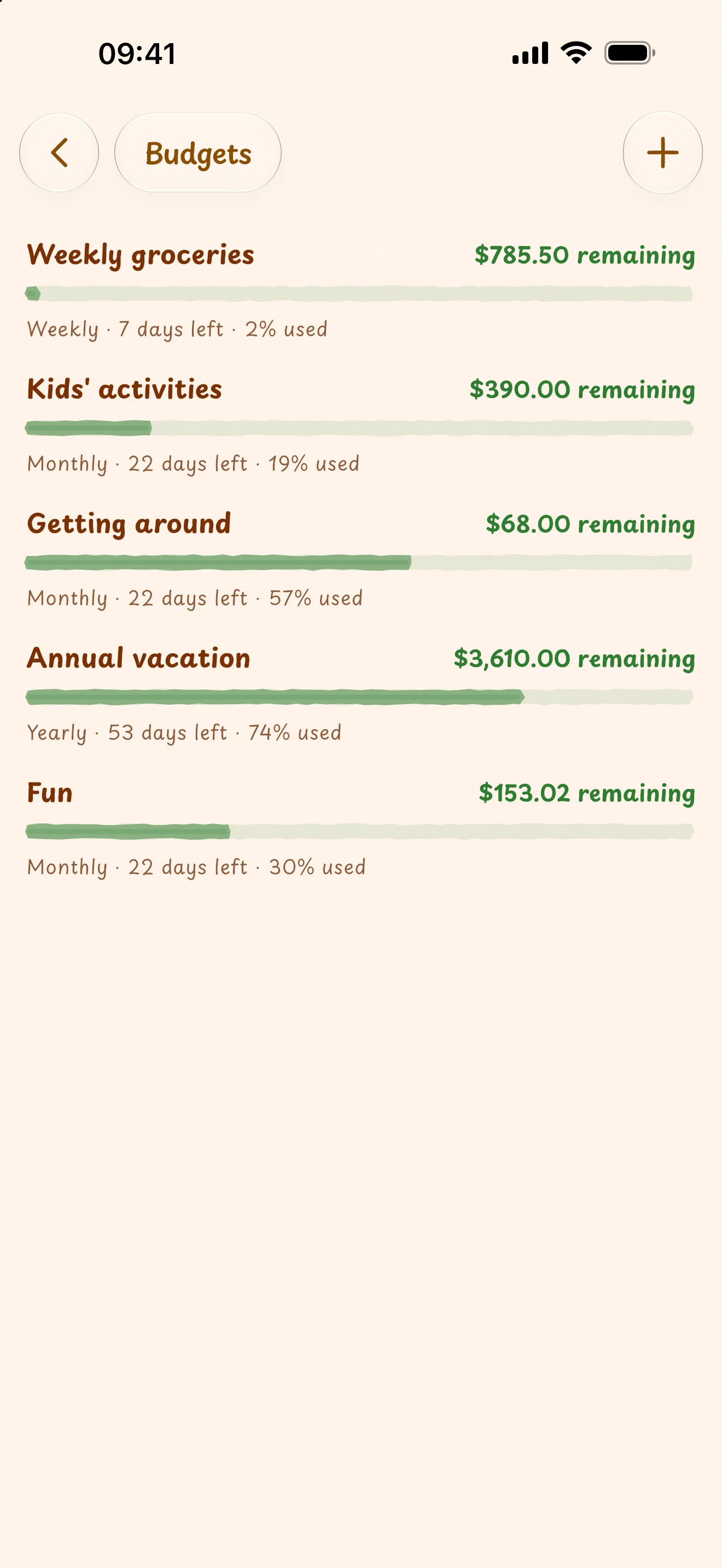
What's left to spend, and where it all went.
Set daily, weekly, monthly, or yearly budgets by category and account to track remaining amounts as you log. When periods end, summaries, category shares, and net worth trends keep financial pace in clear view.
ProNet worth over time, 12-month comparisons, year-over-year and month-over-month are Pro's deeper reports; totals, category shares and largest expenses are free.
- When a budget runs low, you hear about it as soon as you log, and it stays in your notifications.
- Filter reports by date, account, member or tag, and drill straight into any category's entries.
Spend less time repeating entries.
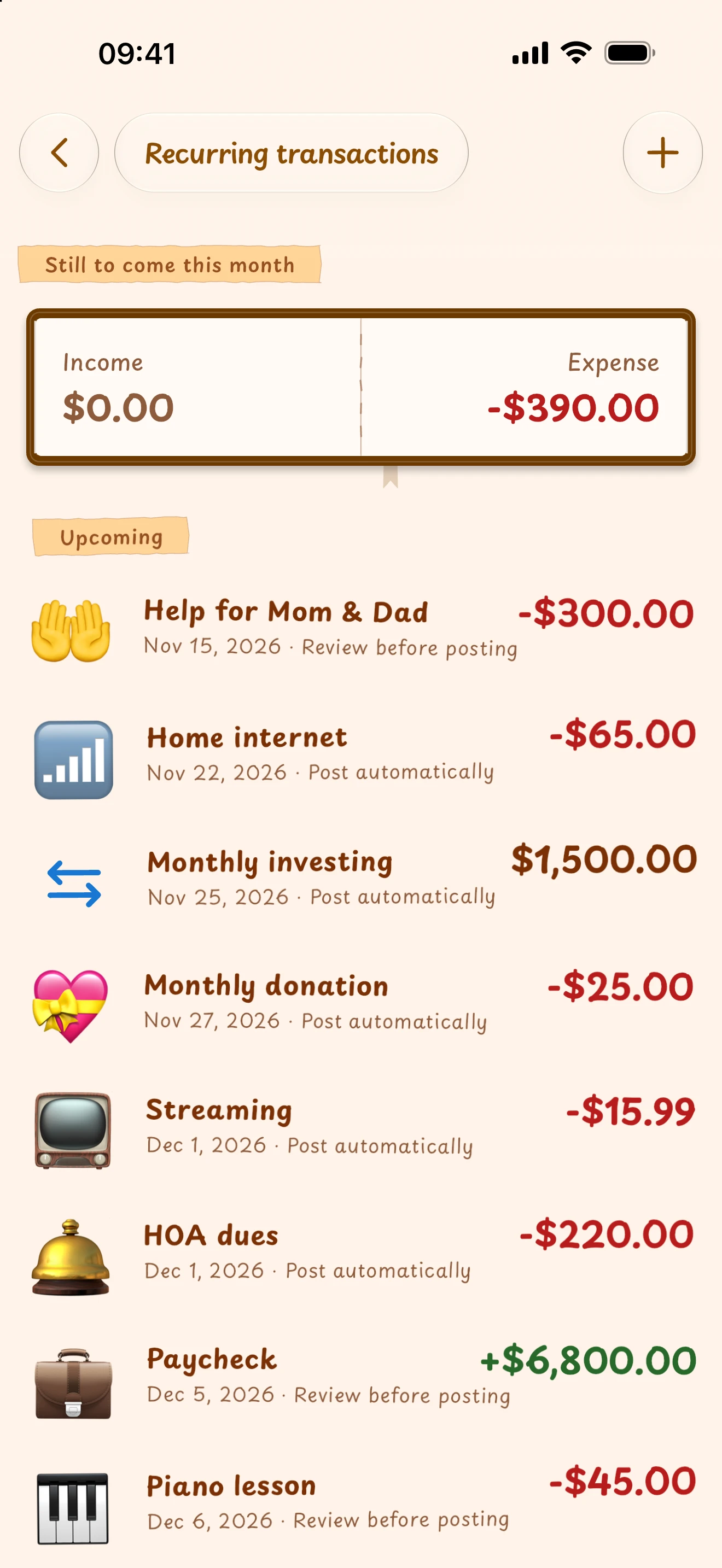
Turn mortgages, paychecks and subscriptions into recurring templates with weekly, monthly, and yearly cadences. Choose between auto-post and review mode for both fixed debits and flexible confirmations.
- Pause and resume templates; previously posted entries stay in your books.
- The top of the list shows what's still to be written this month, and how much.
- When you open or return to the app, due transactions are posted, or queued for you to confirm.
Try it in the sample book, then keep your own.
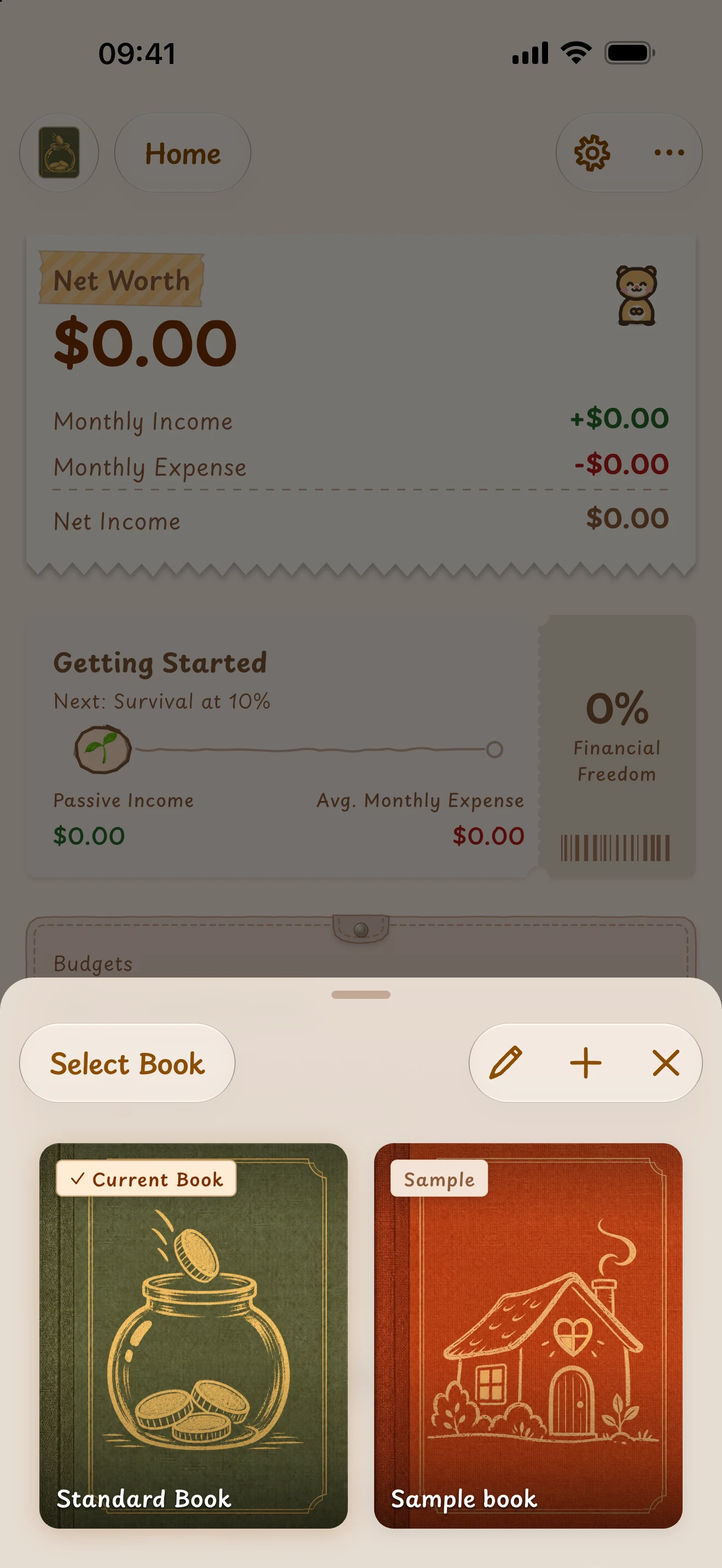
A sample book is there the first time you open the app: a year and a half of one family's records, with every feature free to explore and room for up to 30 entries of your own. Keep your real records in your standard book — free for good, with no entry limit. The sample book stays on this device and is never synced or backed up.
ProMore books and full imports are part of Pro.
- Try an import for free: open a statement from another app or your bank and see how it would look.
- CSV / JSON export and manual encrypted backup and restore are free for good, so you never start over in another tool.
Foreign assets and travel, in one book.
Accounts keep their own currencies. Foreign income, spending and cross-currency transfers convert to your base currency, so net worth uses a common measure.
ProNew foreign-currency accounts are part of Pro's custom accounts.
- Maintain rates manually or update them online.
- Original-currency balances remain available to check what you actually hold.

Trust is not a slogan. It is a product boundary.
Simi Ledger was designed from day one not to host your books, and never profits from ads. They stay on your device. Once you turn on Apple sync (Pro), your data is end-to-end encrypted with your master password before it travels through your own private iCloud Drive. Neither cloud providers nor Simi can decrypt or view your records.
- 01
Protected on your device; manual backups (free) and automatic backups (Pro) are both encrypted
- 02
No account needed; it works completely offline, and zero ads or tracking SDKs forever
- 03
End-to-end encrypted sync across Apple devices (Pro): only ciphertext leaves your device
- 04
Encryption keys are derived on-device from your master password; enter it on a new device to sync, or keep an optional recovery code
A warm, hand-drawn journal — by day and by night.
Home, transaction and account details, reports and budgets are drawn as journal pages, with sticky notes, tickets, tape and stamps where they belong. Dark mode comes in five shades: Chalkboard, Night Journal, Blueprint, Graphite and Midnight. Writing and turning pages come with quiet pencil-and-paper sounds and a light haptic touch. And a small companion lives on the home screen, its mood following your logging.
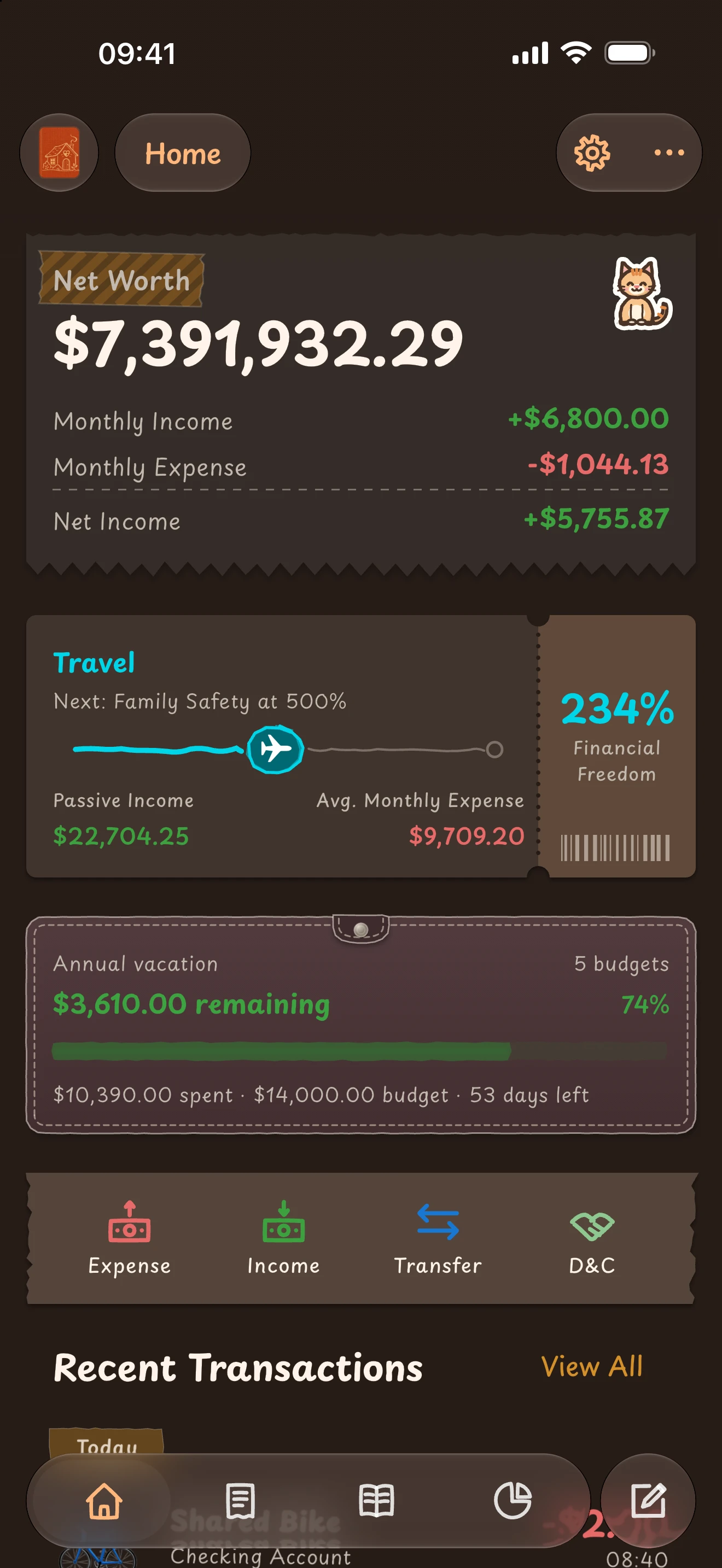
Passive income already covers the bills twice over.
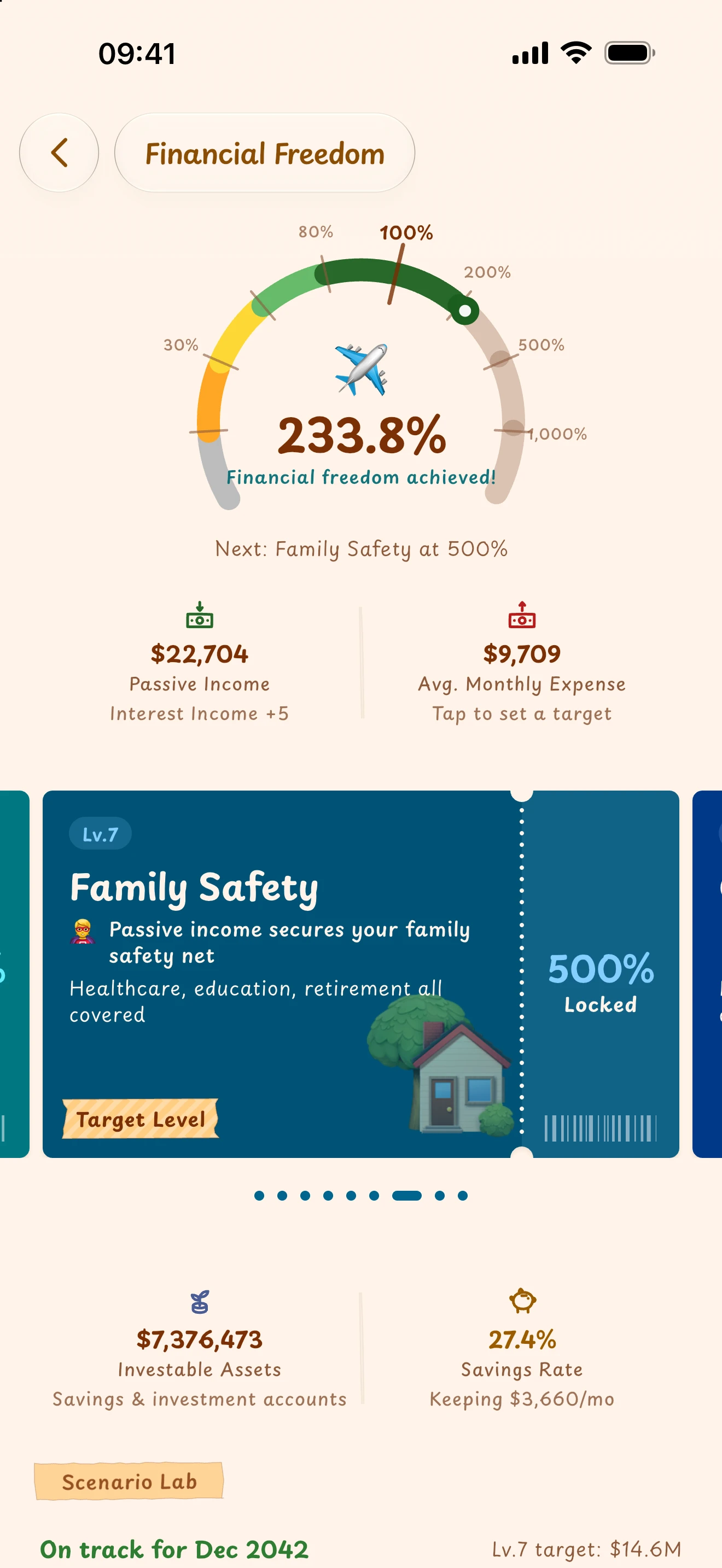
In the demo book, Simi works it out from ledger entries: how much of your average monthly spending is covered by interest, dividends, and rent. Not an investment app's return curve — one number from your own ledger. Every point it climbs is a step closer to not having to work for money.
- of monthly spending covered by passive income
- 234%
- of monthly spending covered by passive income
- freedom milestones, from Survival to Social Impact
- 9
- freedom milestones, from Survival to Social Impact
- the year the scenario lab projects for the next level
- 2043
- the year the scenario lab projects for the next level
- Comfort, Commute, Workplace Leverage… each level shows how far there is to go
- Investable assets, savings rate and monthly surplus on one screen
- Change your savings and return assumptions and watch the year move
More ledger. Fewer bars.
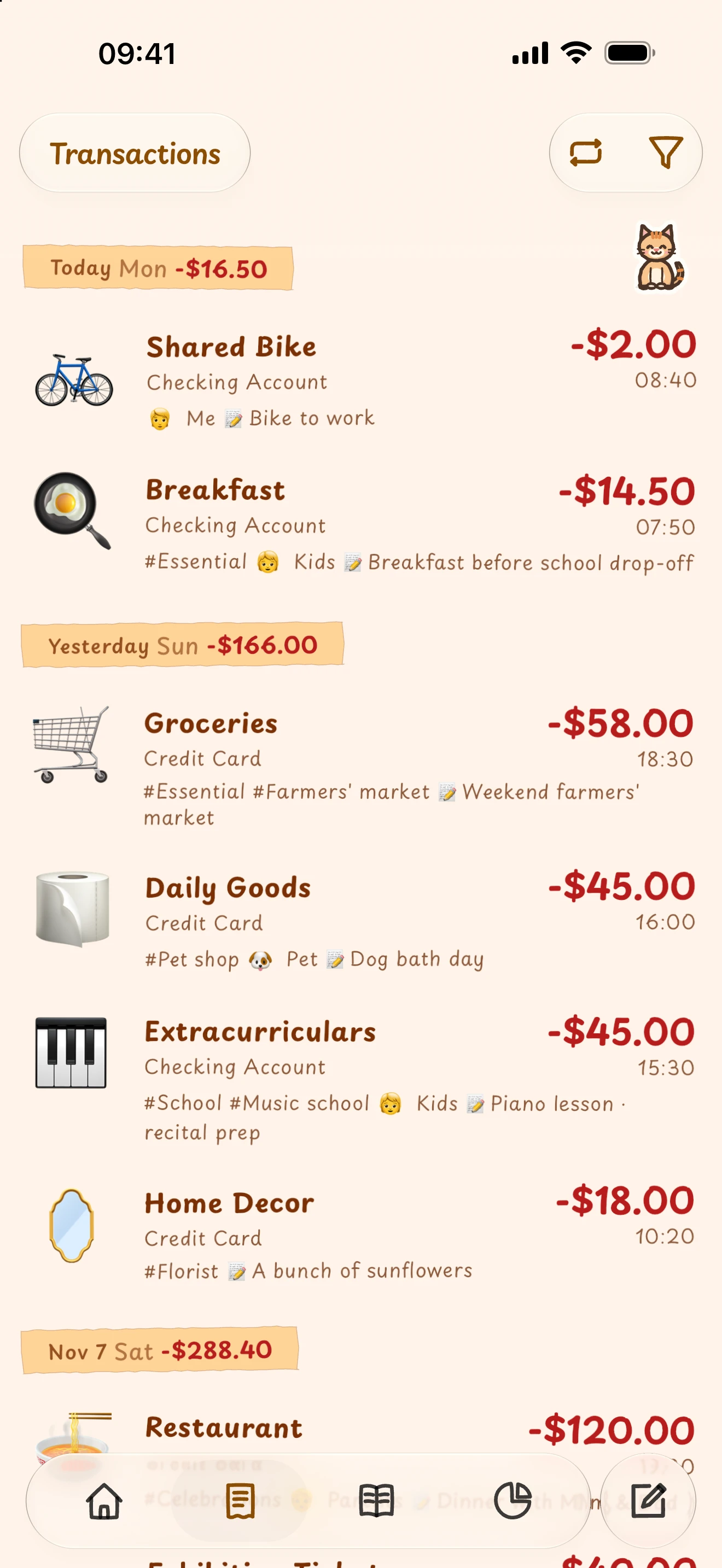
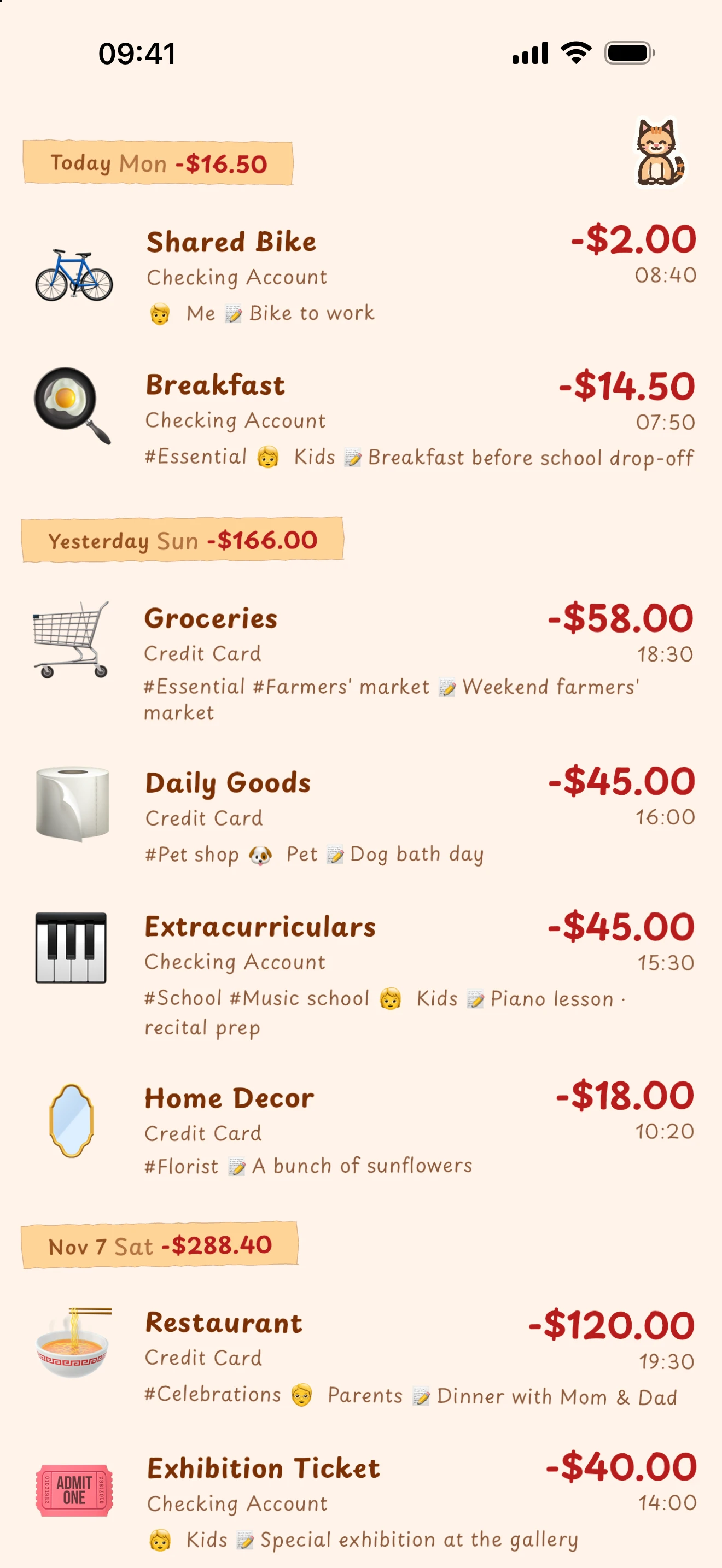
Hide the top and bottom bars to see more of your ledger. Turn pages and log entries with gestures.
Standard
Actions stay in the bars
How to turn it on
- 01Open Settings › Advanced UI & Gestures
- 02Choose Immersive as the navigation mode
- 03Book flip is selected by default; you can change it in Settings
Switch back to Standard navigation in Settings anytime.
Without the bars, how do I…?
Turn to another page
Drag a page edge inward. The paper curls with your gesture.
Double-tap to log
Double-tap blank space to open the transaction editor.
Long-press for actions
Long-press blank space for the current page’s menu.
Quick to log today, easy to review later.
It starts with logging each day clearly. Budgets, reports and financial-freedom tracking then turn those entries into a long-term picture. Items marked Pro need a subscription; everything else is free for good.
- Hand-drawn journal pages, five dark shades, pencil sounds and haptics
- A home-screen companion whose mood follows your logging
- Immersive navigation and book flip; double-tap to log, long-press for actions
- Standard book free for good with unlimited entries; explore everything in the sample book
- More books: family, travel and business, each in its ownPro
- Rename preset accounts, change their icons, add card numbers and notes
- Custom accounts: add asset, liability, category and investment accounts, nested with no level limitPro
- Collapsible groups, rolled-up balances, archiving and reordering
- Double-entry balance; split one transaction across accounts and settle the rest in one tap
- Income, expense, transfer and lending flows with a calculator keypad
- Members and tags for participants and purpose
- Keyword search and date, account, member and tag filters
- Budgets scoped by category and asset account, with remaining amounts shown as you log
- Reminders when a budget runs low, a bill is due or a large expense is logged
- Which card: the credit card that gives you longest to pay today
- Recurring templates with confirmation or automatic posting, pause, and what's still due this month
- Income and expense totals, category shares and largest expenses
- Deeper reports: net worth over time, 12-month comparisons, year-over-year and month-over-monthPro
- Passive-income coverage, nine freedom milestones and scenario planning
- Foreign-currency accounts, cross-currency transfers and rate conversionPro
- No sign-up, zero ads or sponsored clutter, fully offline
- Add, remove and reorder home modules; choose from three app icons
- CSV / JSON export; manual encrypted backup and restore
- Try an import for free: open a statement from another app or your bank and see how it would look
- Full imports: bring statements from your bank and other apps into your booksPro
- Automatic encrypted backups and end-to-end encrypted sync through your own iCloudPro
Daily entries. Long-term clarity.
Some days you just want to jot a number down; other times you need books that genuinely reconcile. Simi tries to hold both — capture stays light, ledger relationships stay clear, and your data stays in your hands.
When budgets lead
01Sometimes the goal is mostly planning spending, tracking goals, and reading clear reports.
Simi keeps budgets and reports close at hand, grounded in a double-entry book so they trace back to real accounts and entries.
When speed matters
02Other times logging just needs to happen in seconds, on the go.
Simi keeps fast mobile capture, while the account tree and balanced entries stay intact underneath.
When books must reconcile
03And sometimes you want double-entry rigor, clean reconciliation, and a traceable history.
Simi keeps double-entry rigor, makes it easy to use on your phone, and adds a friendly hand-drawn feel.
A few things you may want to know before you start.
Does Simi put my ledger on its servers?
No. Simi does not host your ledger data. Your books stay on your device. If you turn on Apple sync, it moves only encrypted data through your own private iCloud Drive. Neither third parties nor Simi can decrypt your ledger contents.
Do I need an account?
No. Simi Ledger requires no Simi account or registration. Daily bookkeeping, account views, and reports work completely offline. Apple device sync (Pro) moves encrypted files through your own iCloud Drive; subscription purchases and restores are managed through your Apple ID via the App Store.
What if I change devices or forget my password?
Daily bookkeeping does not require a master password. When you first turn on sync or automatic backup, you set a master password, and the end-to-end encryption keys are derived from it on your device (Argon2id). On a new device, authorize the same cloud account and enter your master password to discover and sync all your books automatically, without your old device being online. You can also save a recovery code as a backup. We never keep your keys, so if both the master password and the recovery code are lost and no unlocked device is available, we cannot recover your books for you.
Will there ever be ads in the app?
Never. Simi Ledger is committed to staying 100% ad-free forever — no splash screen ads, no sponsored feed clutter, and zero third-party advertising SDKs. Personal bookkeeping is deeply private, and we intend to keep it calm, honest, and distraction-free.
Do I need to pay for Simi?
The core is free for good: unlimited entries in your standard book, renaming preset accounts, income and spending totals, financial-freedom planning, themes and the companion — and you can explore every feature in the sample book. When you want more, subscribe to Pro monthly or annually for six more things: custom accounts, deeper reports, more books, full imports, end-to-end encrypted sync and automatic encrypted backups. There is no free trial: you're charged when you confirm, the subscription renews automatically for the period you chose, and you can cancel any time in Settings. A subscription belongs to your Apple Account and can't yet be used in versions from other app stores. Prices are shown on the in-app purchase page and the App Store.
What happens to my books if my subscription ends?
Everything stays. Your standard book keeps taking entries, including accounts you added while subscribed. Other books can still be viewed, corrected, exported and backed up by hand; they just don't take new entries. Sync pauses and picks up again when you renew. Your keys and backup decryption are never tied to a subscription.
Keep your books in your own hands.
Download and get started today, or see how we protect your books.